The question every golfer avoids
You just striped a 7-iron off the fairway. Pin high, ten feet from the hole. How far did it go?
If your answer is "about 150" or "probably 145", you're guessing. Most golfers do. We carry a mental yardage book built from a few good shots we remember and a lot of numbers we made up.
The pros don't. Every club in a tour pro's bag has a real number attached to it — a carry distance measured across thousands of shots. That's why they commit to a club without second-guessing.
How the shot tracking actually works
Every shot has two GPS points: where you hit from and where the ball landed. Distance is the straight line between them, in yards. That's it. No sensor on your club, no subscription, no pairing. Your phone does the measuring.
There are two ways to capture those two points, and you can mix them freely within a round.
Option 1 — GPS: one tap, done
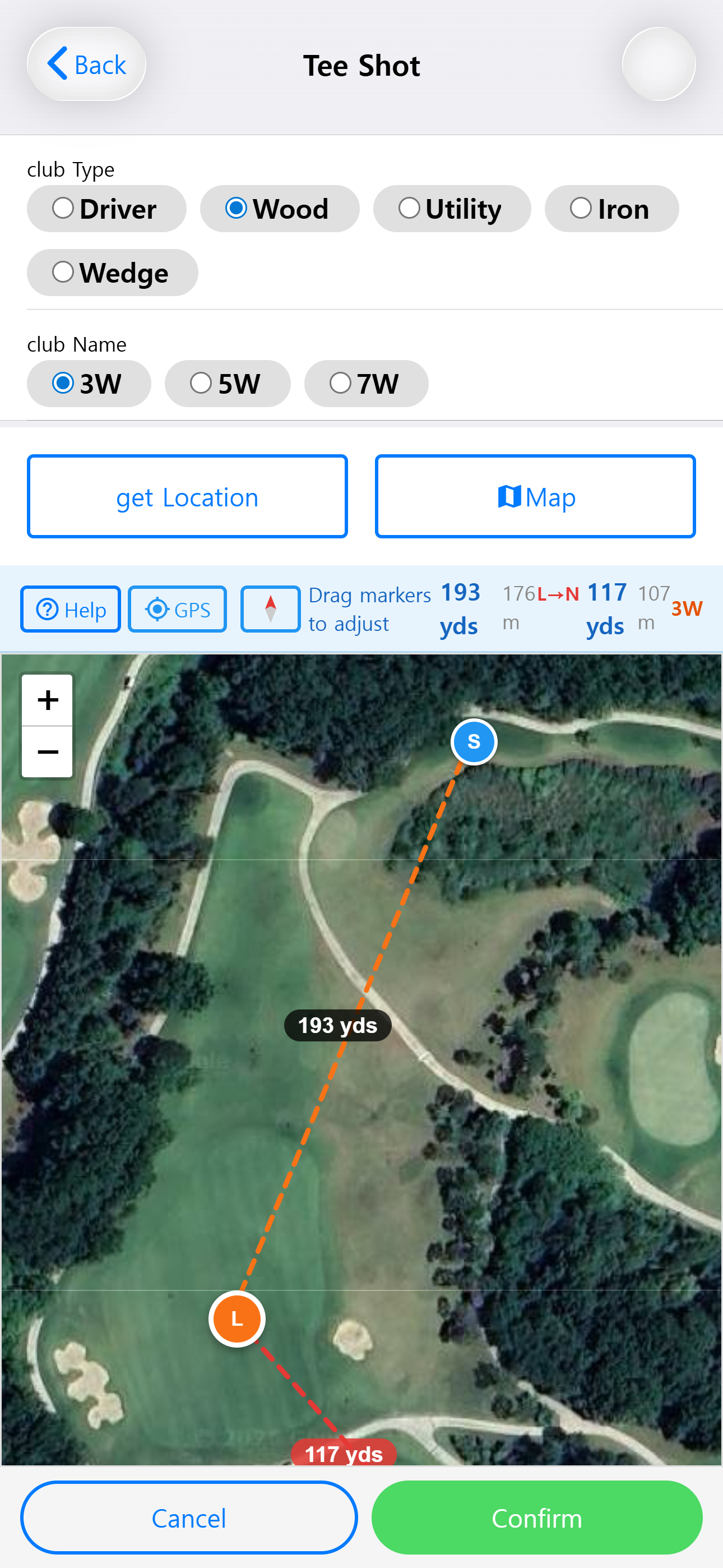
Standing next to your ball, open the hole and tap Tee Shot, Fairway, or Putting. The app:
You walk to your ball. At the next shot, you tap Fairway again. Here is the key move: the app takes your new shot's start position and writes it back as the previous shot's landing. The distance for your last shot is now a real number. No typing, no backtracking.
Option 2 — Inline Map: pick points from above
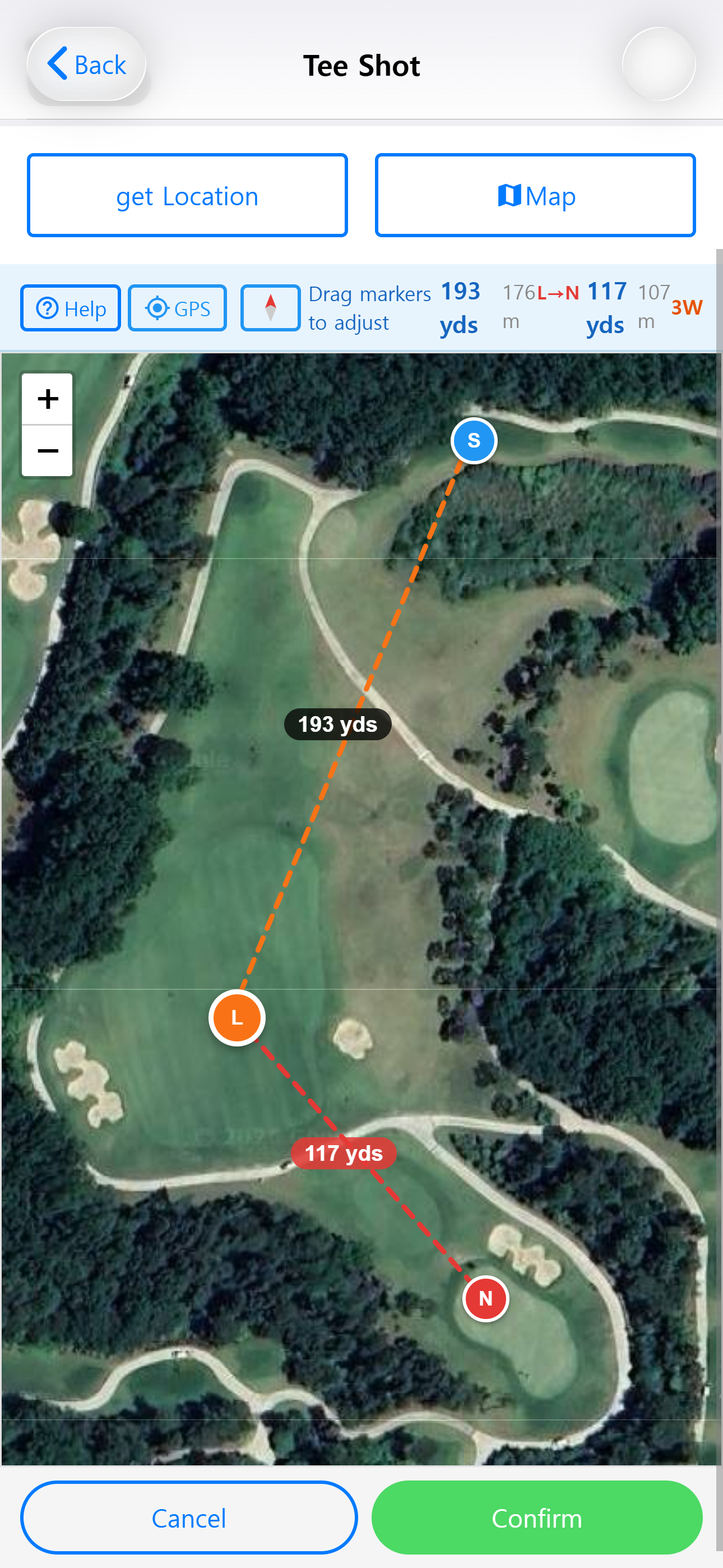
Sometimes GPS isn't what you want. Maybe you want to log a shot after the round, maybe the signal is weak in the trees, or maybe you want to measure a hypothetical "what if I'd laid up here?"
Tap the Map button and a Leaflet satellite map slides out, right inside the shot page. Then:
- Tap S to place the shot start marker. A GPS button drops it at your current location in one tap.
- Tap L to place the landing marker. A dashed orange line appears with the distance in yards.
- Tap N (optional) to measure the remaining distance from landing to the pin.
Every marker is draggable. Move S three feet to the left and the distance updates live. A compass button rotates the map so your phone's forward direction points up — so S is at the bottom, your target is at the top, exactly like you see it standing over the ball.
Why GPS beats manual entry
Most golf apps that "track distances" ask you to type the distance in. This is where ego and golf don't mix. Ask any golfer how far they hit their 7-iron, and the answer is reliably 10–15 yards too long.
GPS is honest. Your 7-iron goes exactly as far as the two coordinates say it does — no more, no less. After five rounds, your stats page will tell you something like "7-iron: avg 148, min 132, max 161." That's a usable number. It's the number you can commit to when you're 148 yards out.
The other thing GPS unlocks is removing input friction. If recording a shot takes more than one or two taps, you won't do it. You'll skip shots, the data gets sparse, and the averages get wrong. By auto-linking this shot's start to the previous shot's landing, K Golf Tracker keeps the per-shot cost at a single tap — low enough that you'll actually finish the round with complete data.
What you get after a few rounds
On its own, one shot's distance isn't interesting. What matters is the shape of the data over time.
- After 1 round — you'll notice patterns. Maybe your drives are 30 yards shorter than you thought. Maybe your wedges are 10 yards longer.
- After 5 rounds — each club has a reliable average. Your yardage book starts to look like a pro's.
- After 10+ rounds — the app's distance-based club suggestion starts making sense. Enter a remaining distance and it points to the right club in your bag, based on your numbers, not a generic chart.
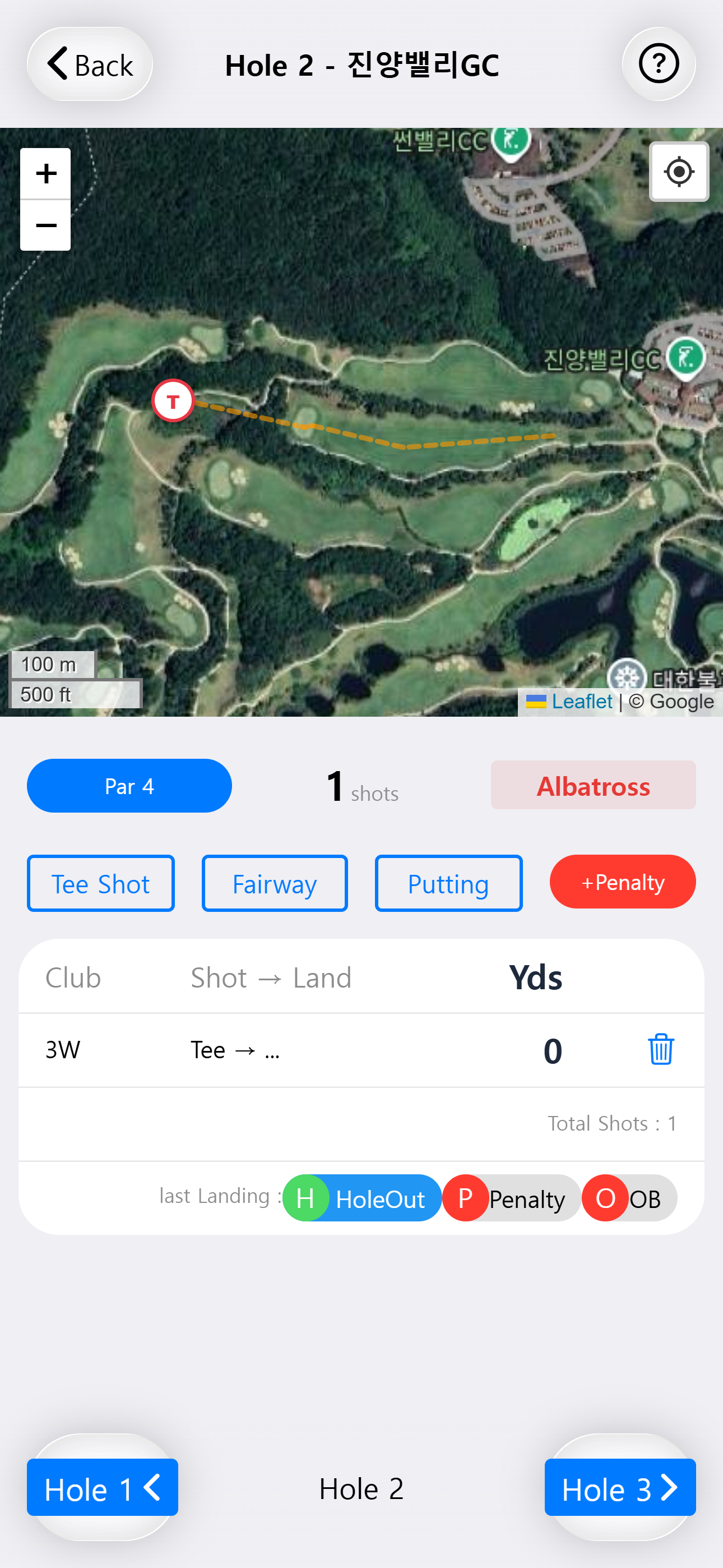
You also get shot path visualization for every round: every shot drawn as a colored line on the course map. Green for fairways found, orange for rough, red for bunkers, purple for OB and penalties. A round you finished three weeks ago is still reviewable, hole by hole, shot by shot.
Try It — No Install, No Account
K Golf Tracker is a Progressive Web App. Open it in any mobile browser, give it location permission, and you're recording shots in under a minute. Your data stays on your phone.
Launch K Golf Tracker